
Your golf simulator setup cost is the price of the launch monitor, hitting surface, ball containment, display and software. A net and a device you already own are the least costly place to start. A projector build adds a screen, frame, mounting and often a computer. Get a current, itemized quote for the whole room before comparing monitors.
Keep the launch monitor price separate from the complete room cost. Add each component you need and list software renewals separately from introductory offers.
Build the quote in three stages

| Build | Main items | Costs people often miss |
|---|---|---|
| Practice net | Monitor, impact-rated net, mat, compatible device | Side protection, delivery and replacement hitting strip |
| Projected home bay | Monitor, screen, enclosure, mat, projector and compatible device | Mount, cable length, screen clearance and room prep |
| Dedicated simulator room | Projected bay plus suitable PC, lighting and permanent installation | Installer, electrical work, subscriptions and replacement parts |
Use the same checklist to compare quotes. If one seller lists a net bundle, check whether the mat is included and whether it’s the size you need. If another seller quotes an enclosure, find out whether the impact screen and protective padding are included.
Price the room before the monitor
Mark the screen and tee, then check the clear height, width and depth. Measure height from the mat. Watch for lights and garage rails. If both hands will play, draw both swing areas and look for walls or storage inside them. A monitor that sits beside the ball and one that sits behind it can need different space.
Confirm where the computer, projector and power outlets will go. Leave room for the installation and the protection the manufacturer calls for. If your room is shared, find out how long it takes to put the net and mat away. A low-cost net that you never set up is an expensive piece of storage.
The home golf simulator roundup compares portable and fixed options. Our launch monitor guide helps if you’re still choosing how to measure shots.
Separate what you pay today from what you renew
Write one line for each item and use the total delivered cost. Include tax, delivery and any setup work. Then list each recurring cost and the renewal date. A free trial or first-year promotion should go on its own line so you can see the price in year two.
Membership plans can separate basic tracking, advanced practice and course play. Ask for the price after any trial ends and confirm device compatibility before subscribing.
Decide where you can wait
You can often put off the projector if you already own a compatible screen or tablet and mainly want feedback. A proper mat, net and safe space are part of the initial build. If you expect to hit a lot of balls, compare the cost of a replaceable hitting strip with the cost of replacing the full mat.
If you’re buying mainly to work on wedge carry, start with a practice view and one repeatable target. The pitching wedge loft guide gives you a way to put those numbers to use. Add course play after you decide whether you’ll use it enough to pay for the next year.
Compare complete packages with the same checklist
A bundle price only helps when the included equipment matches the room you plan to build. Ask each seller to list the monitor, hitting strip, mat, enclosure, side protection, projector, mount, computer, software and delivery separately. Mark each line as included, optional or supplied by you.
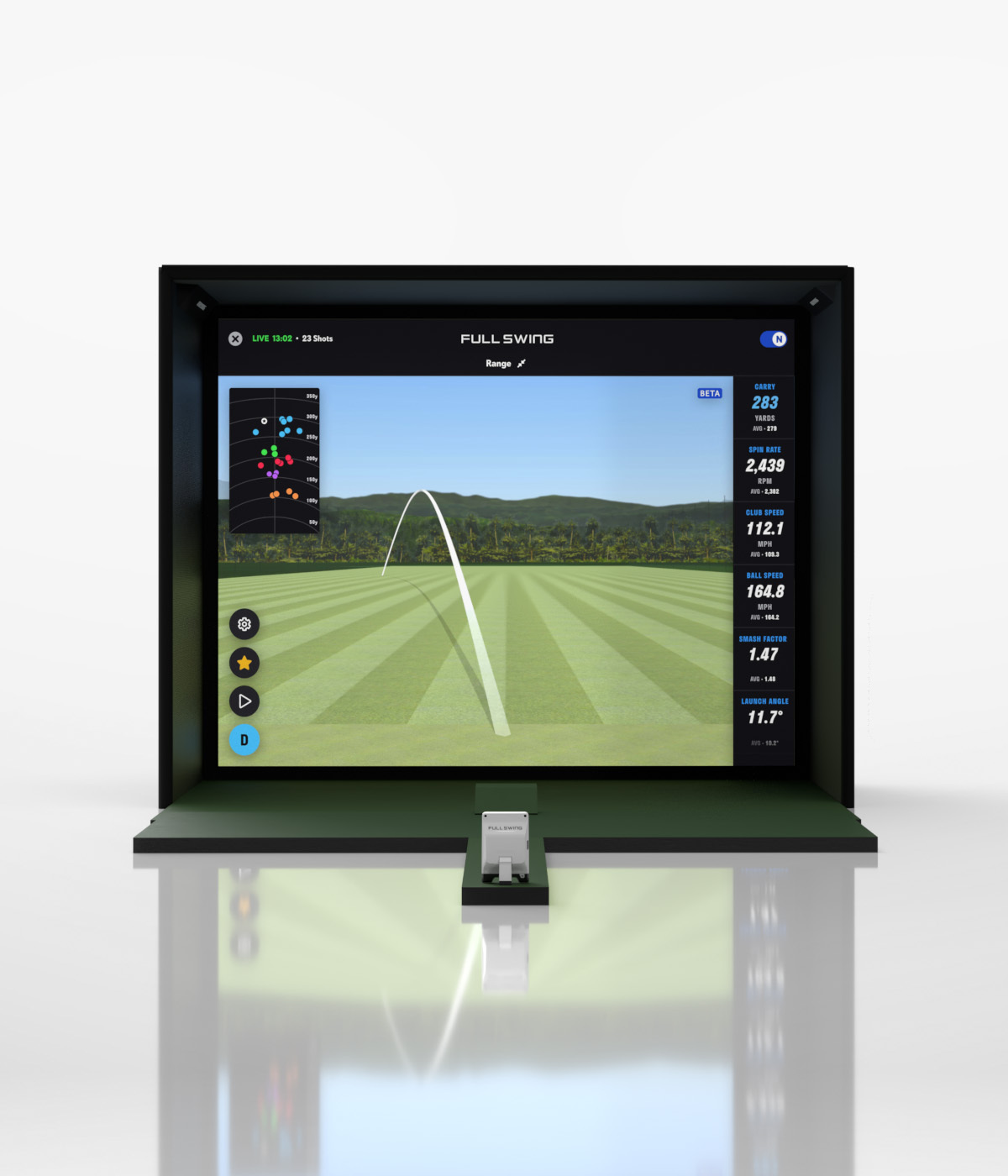
The pictured Full Swing KIT Studio is one example of a packaged approach, not a price estimate for every home. Compare its room drawing and component list with a net-and-monitor build. Ask who installs and supports each component, and whether the quote covers both right- and left-handed players.
FAQ
How much does an indoor golf simulator cost?
Start with the monitor price and add a compatible device, safe hitting area, mat and ball containment. For projection, add the enclosure, screen, projector and mount. Quotes vary enough that an itemized total is more useful than a single universal range.
How much does a good golf simulator cost if I already own a computer?
A compatible computer can save a separate hardware purchase. Check graphics, operating system and connection requirements for your exact software. You still need a monitor, mat, ball containment and any software plan.
Do I have to pay a yearly subscription?
It depends on the monitor and the features you use. Basic tracking may be included while course play, advanced practice or third-party integrations require a plan. Check the renewal price when you compare hardware.
Is an indoor golf simulator cheaper without a projector?
Usually, if you already have a compatible tablet or monitor. You can practice into a net and read the results off to the side. The net, mat and clearance requirements still apply.
Sources
- Shop Indoor Golf Garmin R10 standalone retail listing. Checked November 12, 2026.
- Shop Indoor Golf examples of net practice bundles.
- SKYTRAK official membership features and prices. Checked November 12, 2026.
- Shop Indoor Golf EYE MINI LITE SIG10 package listing. Checked November 12, 2026.

Leave a Reply