
As an Amazon Associate I earn from qualifying purchases.
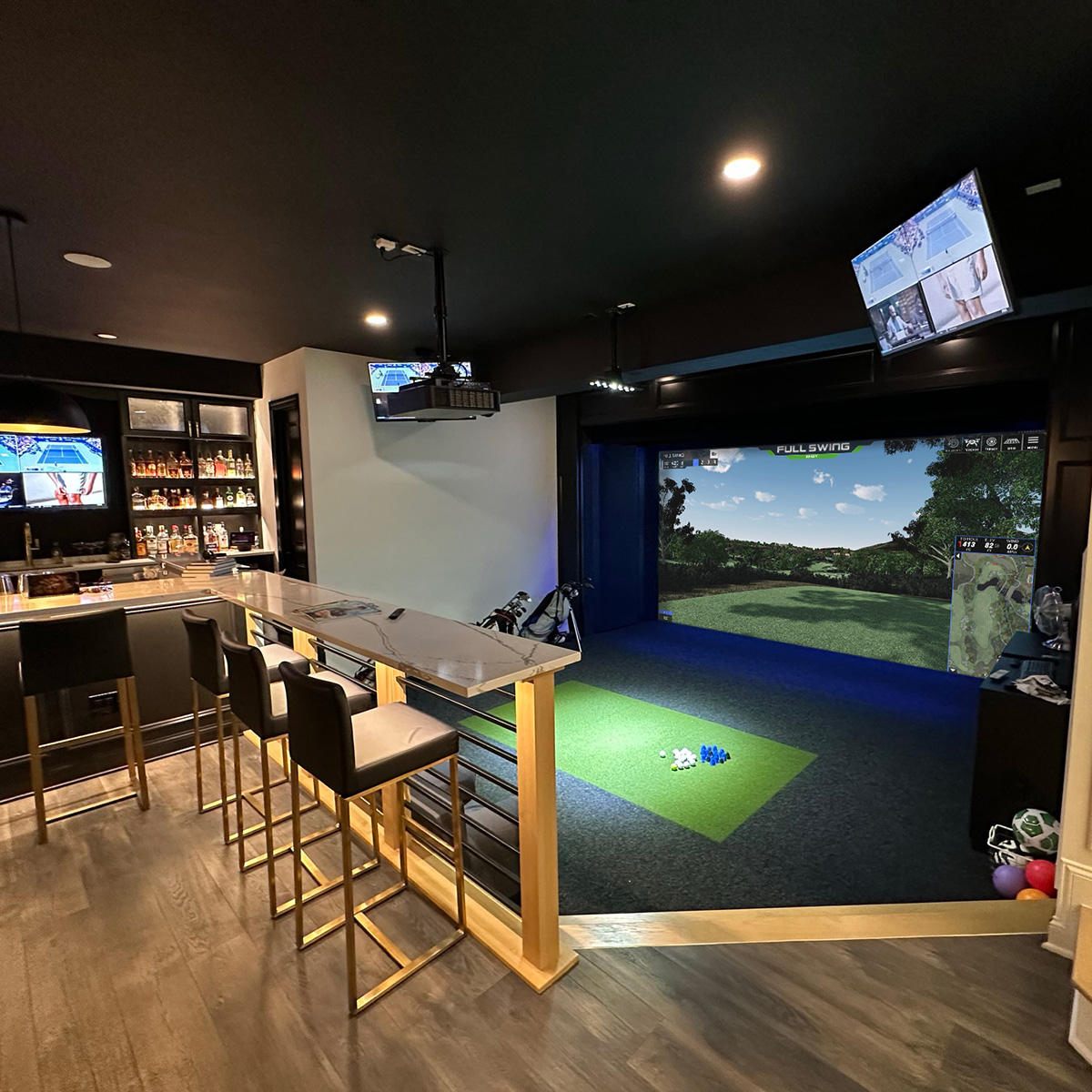
This Full Swing golf simulator review covers the installed Sport Series and Pro 2.0 systems. Shortlist Sport if you want a dedicated room and a professionally configured bay. Compare Pro 2.0 if you want the maker’s upgraded tracking system and can justify the quote. Consider a KIT Studio if you want a package built around a portable launch monitor instead.
Full Swing listed Sport from $44,900 and Pro 2.0 from $54,900 when checked November 20, 2026. These are advertised starting prices. Get a quote for the room and software you’ll use.
Full Swing’s three home options
| Option | Setup | Tracking or design | First thing to verify |
|---|---|---|---|
| Sport Series | Installed bay | Overhead impact camera and high-speed line-scan flight measurement, per Full Swing | Room dimensions, installation scope and included software |
| Pro 2.0 | Installed bay | Overhead impact camera plus Full Swing’s HyperClear in-flight tracking system | What the upgraded tracking and configuration add for your use |
| KIT Studio | Package centered on a portable KIT radar monitor | Rear-positioned launch monitor with package-specific enclosure and display components | Ball-to-screen and radar clearance, PC, projector and software |
These product lines share a brand and solve different room problems. A KIT launch monitor alone is not a complete installed simulator. Check whether the package includes the monitor, PC, projector and mount rather than inferring it from the product photo.
What Sport Series makes sense for

View official Full Swing Sport Series Simulator information and request a quote. Amazon search results may include accessories; availability of this complete installed system has not been verified.
Sport is the installed option to demo if your primary goals are practice and virtual rounds in a room that stays set up. Full Swing lists recommended room dimensions for different builds. One Sport configuration recommends 10 ft of height, 12 ft 6 in of width and 20 ft of depth. Get a drawing for the exact size and for both handedness positions if needed.
Ask the installer what they need from your contractor. The bay needs to work around ceiling lights, doors and equipment access. A drawing that accounts for the finished floor and mounting height is more useful than the dimensions of the unfinished room.
Pros: Integrated bay with an installation path and support contact. An installed layout can simplify day-to-day setup when you have dedicated space.
Trade-offs: High starting price and a substantial room commitment. Confirm how replacement screens, software support and service calls work for your address.
When Pro 2.0 is worth a demo

View official Full Swing Pro 2.0 Simulator information and request a quote. Amazon search results may include accessories; availability of this complete installed system has not been verified.
Pro 2.0 uses Full Swing’s different in-flight tracking system. Compare both in a showroom if you can. Ask to see a wedge, your longest safe club and several typical misses. Note what the system reads and what it misses rather than relying on a single centered drive.
Ask the same questions about software and PC hardware for both quotes. If the feature you want is a particular course or game, verify it for the exact package. It may be a software decision rather than a reason to upgrade the sensor.
Pros: The manufacturer’s higher-spec installed tracking option. Worth testing if you want the exact tracking system or a configuration that fits your room better.
Trade-offs: The listed starting price is $10,000 above Sport’s. A better fit for your room or a feature you use regularly is a stronger reason to pay than the model name.
When to consider KIT Studio

View official Full Swing KIT Studio 12 Foot Golf Simulator information and request a quote. Amazon search results may include accessories; availability of this complete installed system has not been verified.
Start here if you want to remove the launch monitor for range use or build around a package that you can set up differently. The manufacturer recommends at least a 10-ft ceiling, 14-ft width and 18-ft length for its cited 12-ft-screen package. Confirm those dimensions and all other clearances on your floor plan.
The KIT also makes sense to compare with smaller practice builds if the installed quote is outside your budget. Our home simulator roundup covers other room layouts. The simulator cost checklist shows how to compare the quote.
What to ask for before placing an order
Get a floor plan, the itemized quote, the service area and the stated warranty. Ask who handles a monitor or projector failure and how long an installation takes after the room is ready. Ask whether the quoted software works offline or needs ongoing sign-in for the mode you use.
If you only want a launch monitor and net for carry practice, see the launch monitor buying guide. Check the practice data you’ll actually use before signing for a permanent bay.
Demo the parts you will use every week
Ask the rep to open the practice view and then start the exact course mode you want to use. Run a handful of chips, pitches and longer shots. A unit that reads your driver in a demo may still behave differently on a short pitch, and you’ll want to know how the software handles a shot it doesn’t read.
If two people play from opposite sides, try the changeover. Confirm whether they can use the same tee or need to move the mat or adjust the layout. Ask what comes with the software and whether extra course access or multi-sport features require a separate purchase. Get those answers for the installed model in the quote.
Think about maintenance as well as installation
Ask whether you can replace a hitting strip separately from the whole mat. Find out what happens when a screen wears or a PC needs repair. Get the service contact, warranty term and process in writing. A room that stays set up is useful when parts are easy to replace and downtime is manageable.
FAQ
Is Full Swing a good home golf simulator?
An installed Sport or Pro 2.0 can suit a dedicated room and a buyer who wants a configured system. Compare the room drawing, feature list and support terms before choosing one.
What is the difference between Sport and Pro 2.0?
The installed models use different in-flight tracking systems and have different published starting prices. Ask the maker to compare the exact configurations and show them with the same clubs.
Is Full Swing KIT the same as the installed simulator?
KIT is a portable launch monitor. KIT Studio packages build a home bay around it. Sport and Pro 2.0 are installed systems with different hardware.
How much room do I need?
Use the dimensions of the specific build and measure from the finished mat. Leave room for the player and the enclosure clearances, including anyone who will hit from the opposite side.

Leave a Reply